Published on
Step up your B2B product photos with AI-generated characters
Contributors

Orderchamp
5 min read
In this article
Last time, we showed you how AI tools like Nano Banana can combine multiple products from your catalogue into one nice product shot.
This time we are taking it a step further. Why? Because there are more ways to showcase your products and see them in action. That’s why, in this article, we’re focusing on how you as a brand can showcase your products with the help of AI characters.
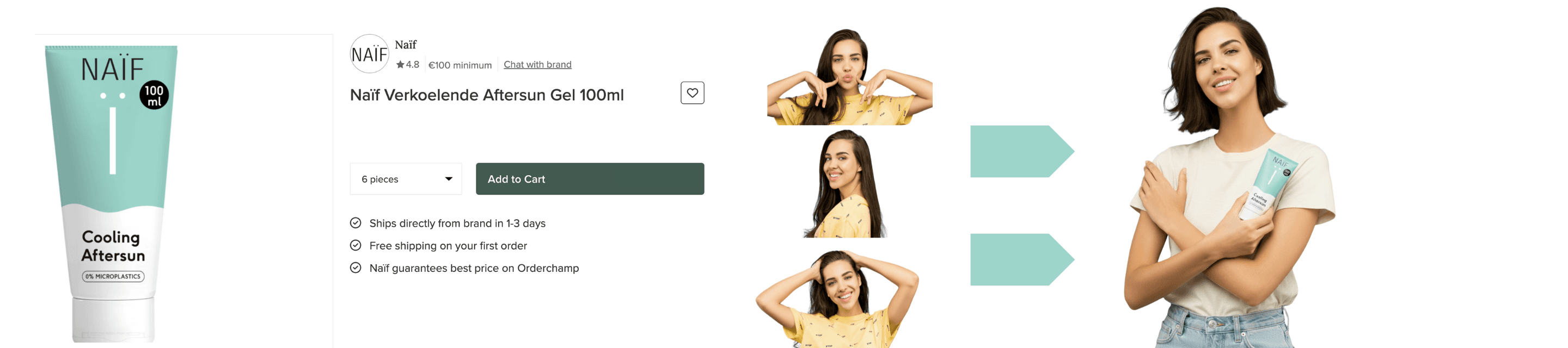
You’ll learn how to create AI characters, place your products in their hands and deliver marketing content that feels genuine.
We’re starting with a tool called Higgsfield.
Higgsfield AI is a generative AI platform built to help creators and creative professionals produce cinematic Images, videos and yes, even entire AI characters.
How to build an AI character?
To build an AI character with Higgsfield, you need to upload between 5 and 70 photos. The more realistic you want the character to be, the more high quality photos of a person you need to upload.
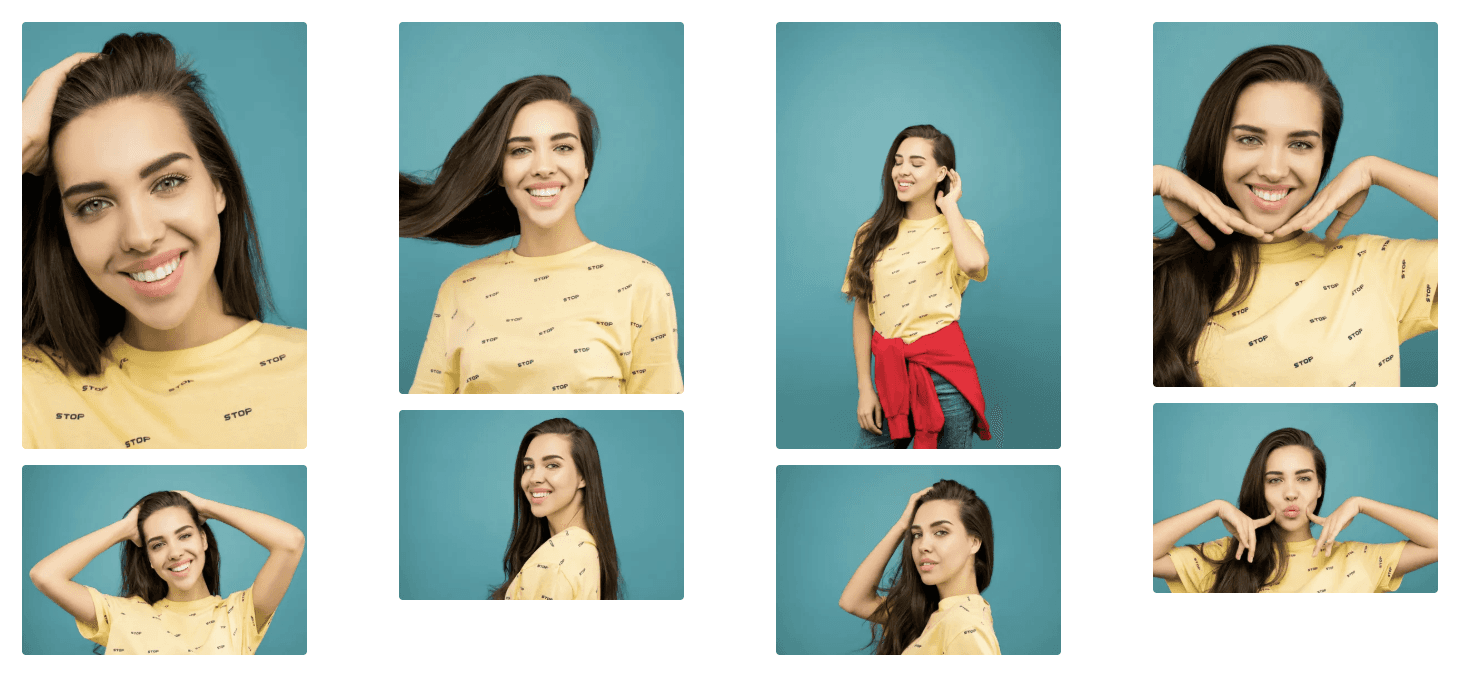
For this example, we’re using pexels.com, where you can find royalty-free images with a commercial license. Here we found some high quality images of a person which photos we are going to use as an example.
These are the images we’re going to use:
After creating a free account on higgsfield.ai, you' ll get 40 daily credits to generate images.
Sign up, go to the main dashboard, click Image in the top left corner, and select Soul Idea Character.
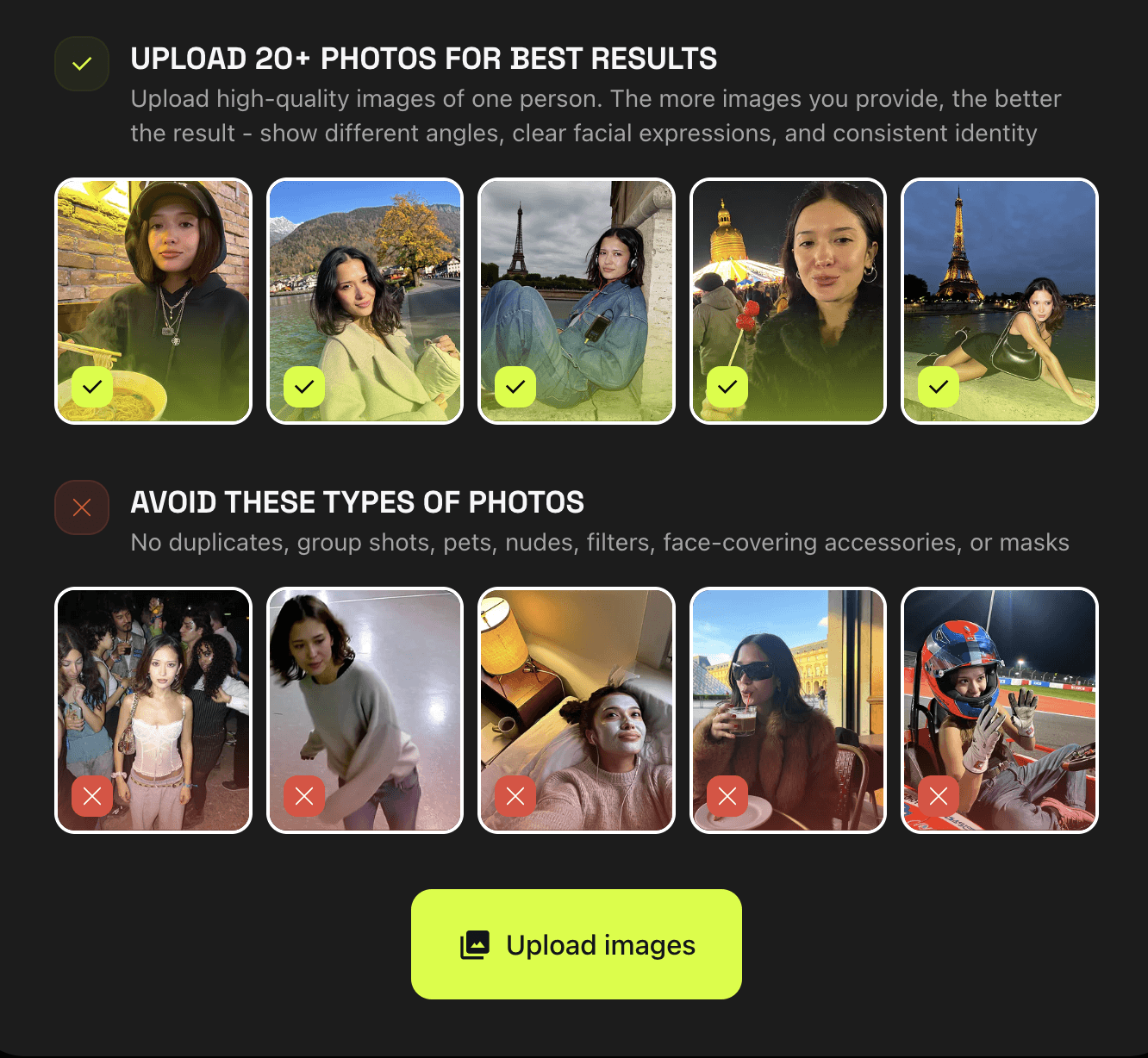
Start by uploading all the images you want to use to create your AI character. Depending on the number of images, it will take about 5 to 40 minutes for your AI character to be ready. This is a one-time process required only the first time you create your character.
Once your AI character is ready, you can create a version to showcase your product. Note that Higgsfield itself cannot directly place your brands products with the AI character. For that, you will still need to use Nano Banana.
Why use Higgsfield then? Higgsfield allows brands to create AI models that remain consistent across multiple images, making it ideal for using a single face across different products, labels or campaigns.
While we are waiting for the AI character to be created we’re going to figure out which product to use for our test.
For this example we are using a product from Orderchamp Marketplace. It’s from the brand Naïf, and, for this example we are using their 100ml Cooling Aftersun Gel.
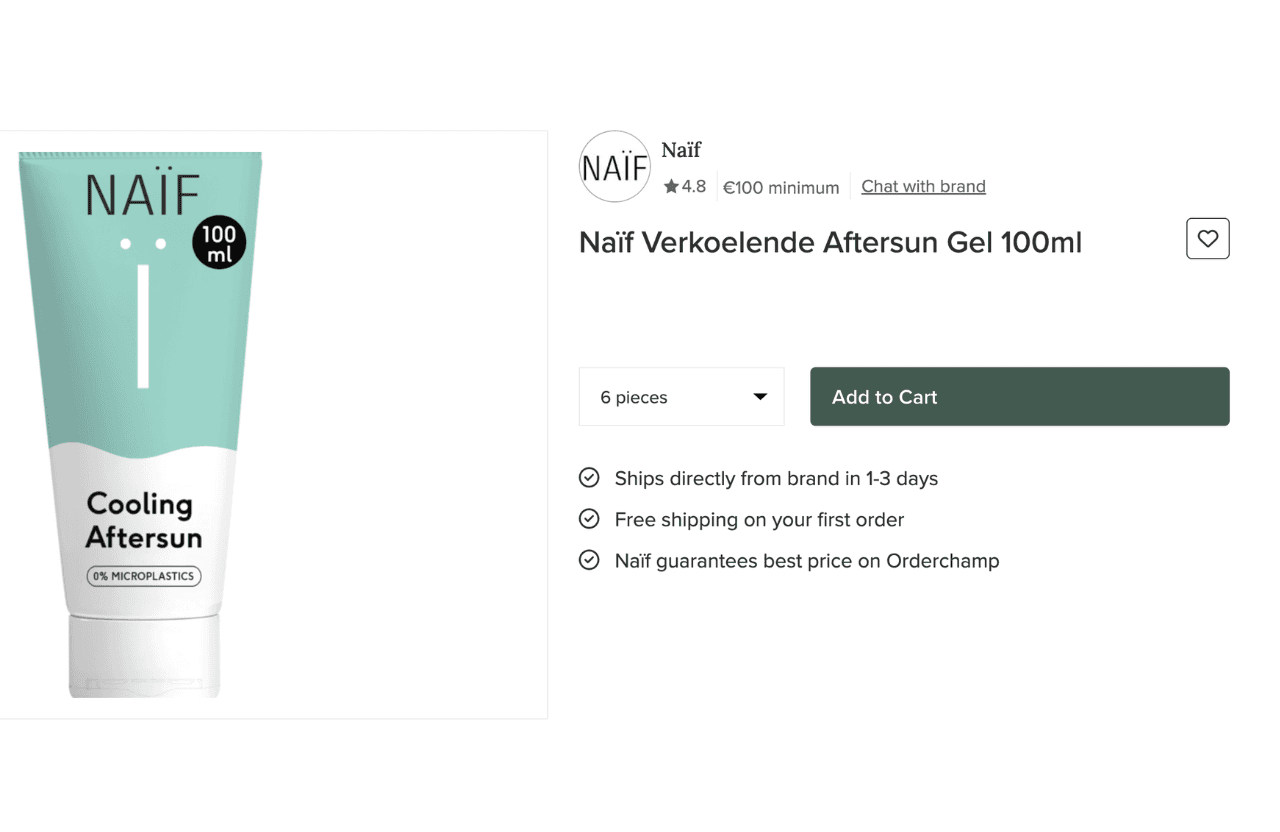
Now that we have figured out which product we are going to use, we head back to Higgsfield and check up on our AI Character.
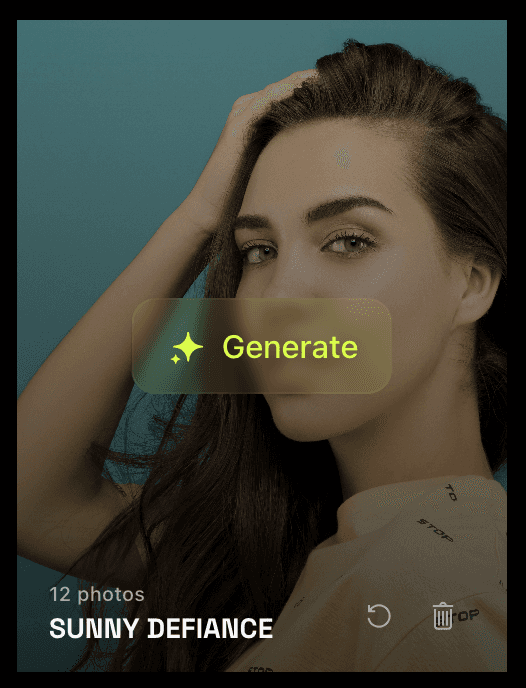
As you can see, our AI Character is ready to go, so we will need a prompt to let the AI tool know how the AI character must look and how it needs to display the product.
Something like this:
“A professional photoshoot of a woman holding a 100ml Cooling Aftersun Gel. She holds the product naturally in her hands, angled to display the label clearly. The lighting highlights her skin and the gel’s texture, with a clean, minimal background that emphasises the product. Capture a fresh, summery, and soothing atmosphere, with sharp focus on the gel and soft, flattering light on the model. Include professional styling, natural makeup, and relaxed yet confident posture”.
Here is the result:
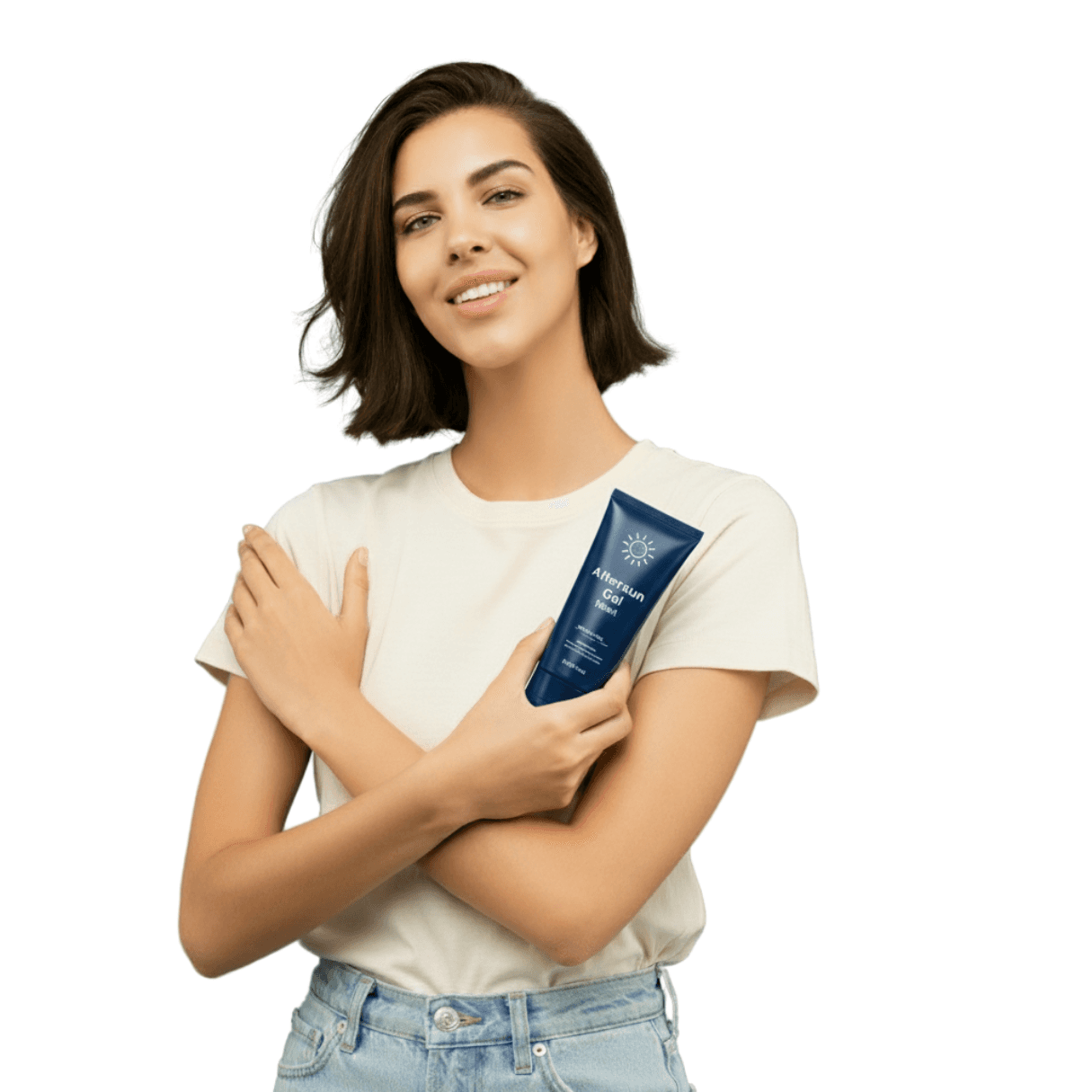
Now comes the fun part. Switching out the fake product with the real one. How to do this? We use one of the tools we used in the past: Nano Banana.
Go to Gemini Nano Banana
Created a free account and upload the two photos together.
Try to write a prompt like this:
Prompt: “Replace the product that the woman is holding in the first image with the other product from the second image, keeping everything else exactly the same but change the background to match the color of the product in the second image. Maintain the model’s pose, lighting, background, styling, and composition. Only swap the product while ensuring it looks natural in her hands and fits seamlessly into the scene”.
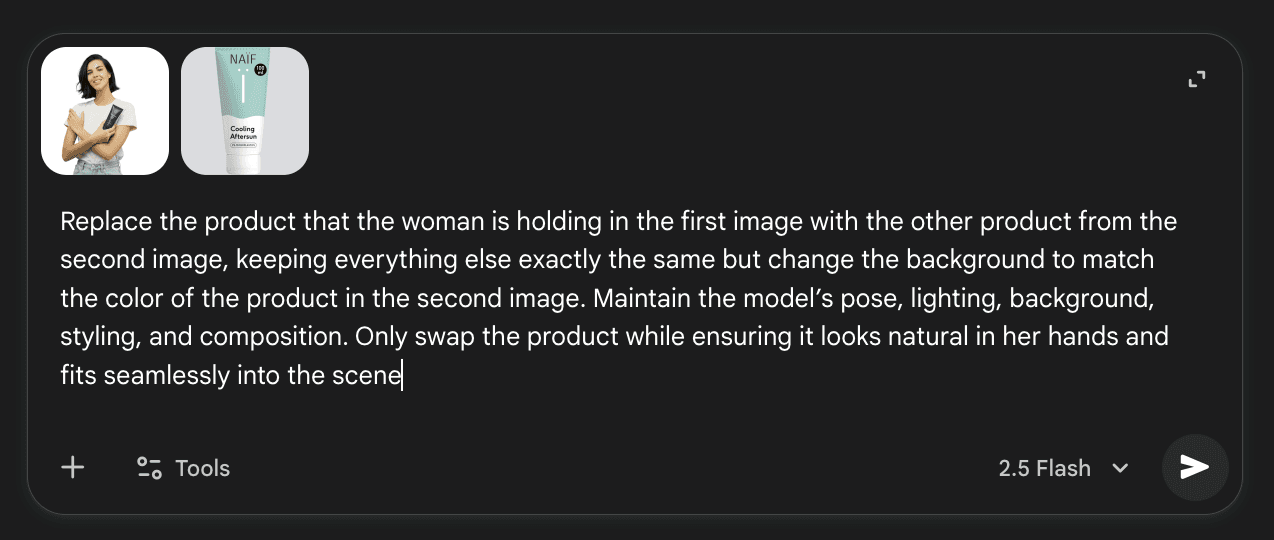
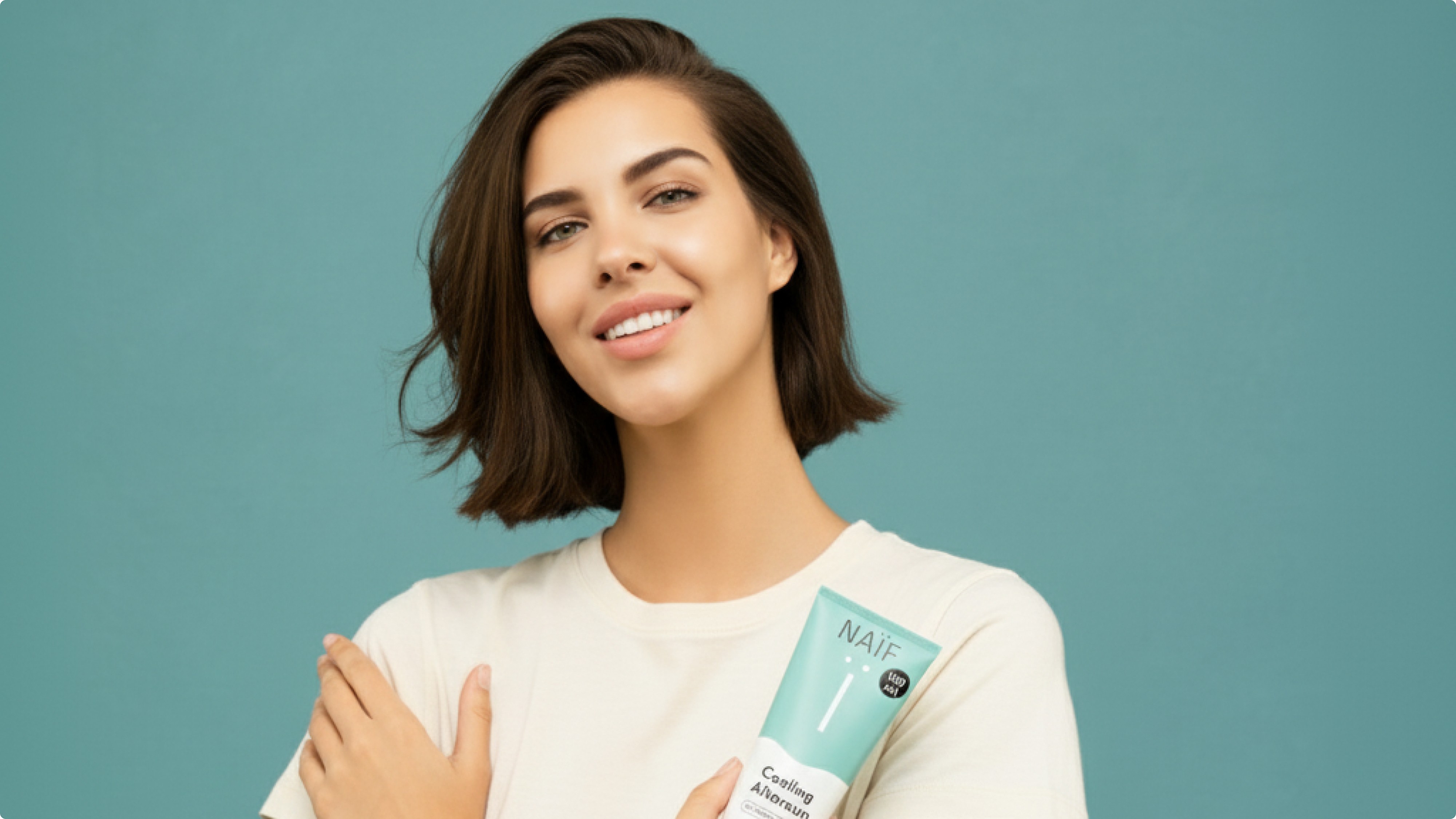
If you have done everything correctly you should have an image quite similar to this:
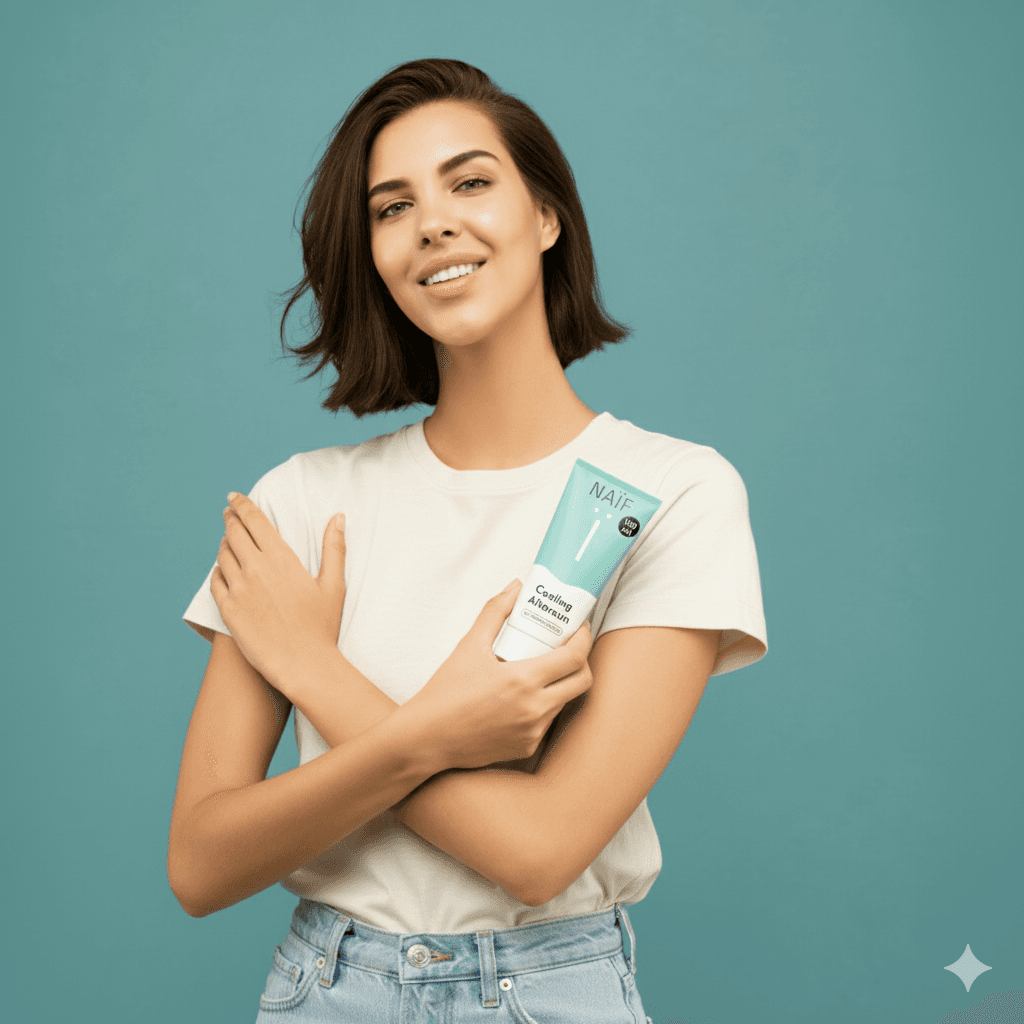
You’ll notice that this image looks completely real. While it’s based on real images, this version is entirely AI-generated. Incredible, right?
You can also combine multiple products in a single scene. For instance, this AI character could wear your clothes, display your accessories, or interact with your lifestyle products. This lets you as a brand showcase your catalog without organising a full photoshoot.
Use Licensed or Original Images Only.
Remember to use only images that are licensed for commercial use, or your own original photos. Avoid using pictures of real people from the internet without permission, as this can lead to copyright or privacy issues.
By combining tools such as Higgsfield and Nano Banana brands like you are now able to showcase your products in the hands of a human, all while maintaining control over your brand identity and without the costs of traditional photoshoots.
For creative minds, the opportunities are endless, demonstrating that AI tools like Higgsfield and Nano Banana are helping to level the playing field between small and big brands.



Upcoming wholesale trade shows in the Netherlands: the brand's guide to what's coming up near you
Guides
Orderchamp
5 min read

B2B Next Summer Edition: familiar stories, new perspectives
Industry insights
Orderchamp
5 min read

Wholesale order automation: a simple step-by-step guide
B2B ecommerce
Orderchamp
5 min read