Published on
The Sales App by Orderchamp Cloud: how it works
Contributors

Orderchamp
5 min read

In this article
The Orderchamp Sales App gives wholesale brands a faster way to take orders at trade shows, in showrooms and during customer visits.
We previously spoke with Jochem, who led the development of the Sales App, about why we built it and how feedback from brands shaped the product.
Brands such as Arelo are already using the app as part of their wholesale sales process. So, what can you actually do with it? Here's a breakdown of the key features that help sales teams take orders faster and keep everything connected while they sell.
1. Bring more than what fits on your stand
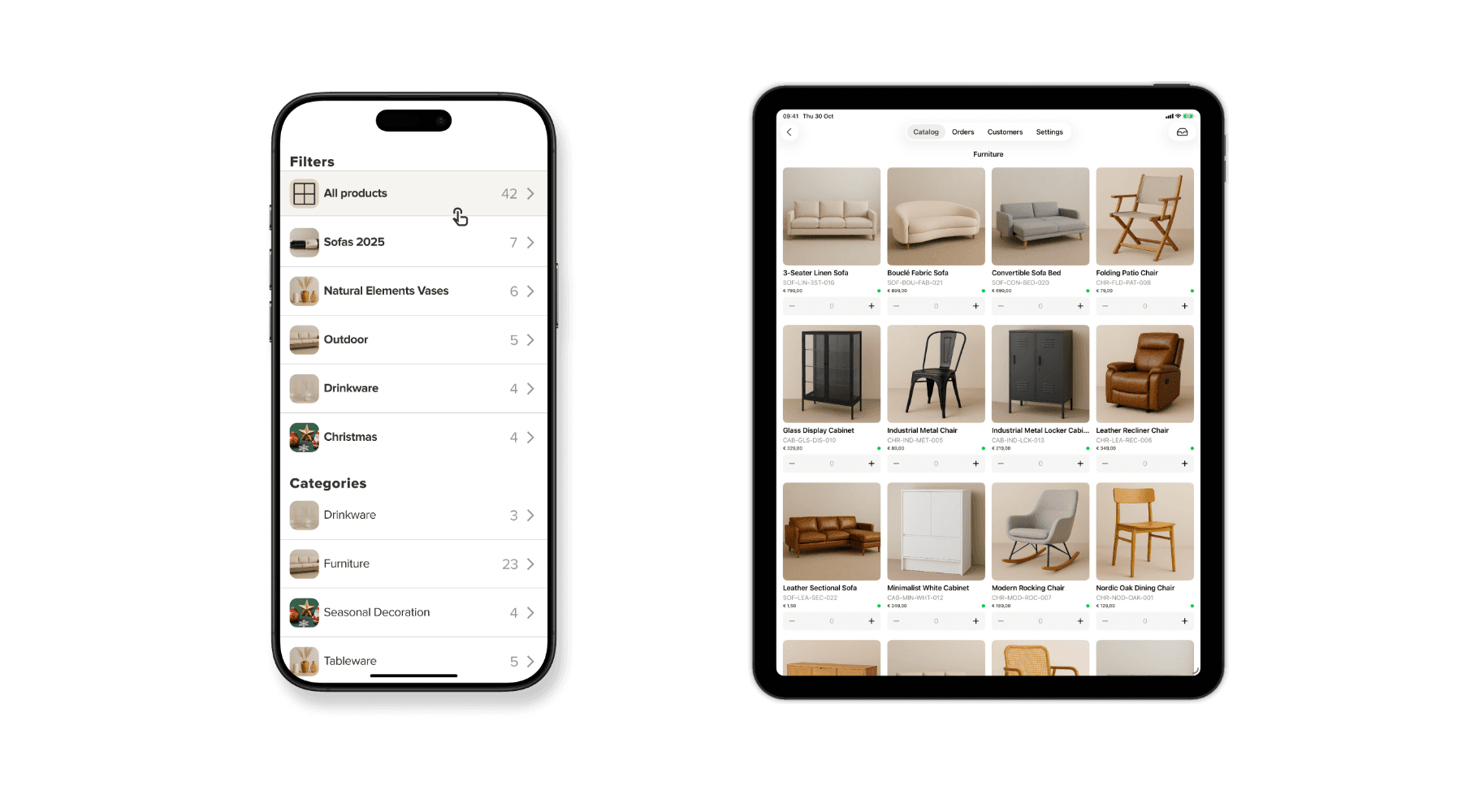
With our integrations ecosystem, you can set up a sync of your products to the Orderchamp backoffice. Once your catalog is available in the backoffice, you can select exactly what should be available in the Sales App, or any other Orderchamp sales channel.
This means that your sales team can take your wider assortment with them without having to physically bring every product to a trade show or customer visit. Only want to focus your sales on a seasonal collection? Then simply exclude your other products from showing in the Sales App.
2. Scan physical products straight into an order
Use your device camera or connect an external scanner in the Sales App settings, and scan physical products to add them to an order. For products that exist in your Orderchamp backoffice, the Sales App will be able to match the SKU and add it to a customer order. You can then continue to add other products to the order in the app, combining scanned physical products with your digital catalog.
3. Create multiple orders at once
Create multiple orders for different customers at once, so multiple colleagues can be creating orders with customers without overwriting each other - especially at busy trade shows, your whole sales team can keep working at the same time.
In the Orders section of the app, you'll be able to see all orders that have been created. There you can upload orders that are confirmed directly to your backoffice - where you can later fulfill them - or you can modify or delete orders. If you've connected an ecommerce integration to Orderchamp, uploaded orders will also be automatically synced to your other systems like WooCommerce, Shopify or Lightspeed.
4. Know what is actually available
Your live stock is synced so that you can see product availability at the trade show. This way your sales team can see what is available while taking the order instead of finding out afterwards that a product is out of stock.
When tapping on a product in the app, you'll also be able to see how much inventory is remaining per product. This is managed in the Inventory section of your backoffice, where you can manually set the inventory level or keep it up to date through your own connected integrations. You can also choose to pre-sell stock for an upcoming collection for example, or allow your team to continue selling products that are out of stock if you know that they can fulfilled quickly. All of this is indicated in the app so that your team can set the right expectations with customers upfront.
5. Turn a new contact into a customer immediately
Met a new retailer? You can add new customers directly in the Sales App. Simply add their details and start creating their first order straight away, without having to process contact details later.
After you upload an order for a new customer, they will receive an automated email with the order details and a payment request so that they don't need to create an Orderchamp account to place an order with you. The Sales App is part of our Orderchamp Cloud sales software, so you can use it independently of our other sales channels. Opt for a Sales App-only subscription to use it by itself or use it in combination with our B2B Portal, giving your customers access to your wholesale webshop where they can return to place new orders by themselves.
6. Give existing customers the conditions they expect
Your address book is imported with customer-specific conditions like shipping rates or product discounts, so these will always be applied for an existing customer. When assigning a customer to an order in the app, any order conditions that you set for them in the backoffice will be applied. Your sales team does not need to remember individual agreements or check them somewhere else before placing the order.
Customer-specific order conditions can be created and managed in the backoffice, like customer-specific shipping rates, discounts and price lists.
Built around how brands actually sell.
When Jochem and the team first started working on the Sales App, the idea sounded relatively straightforward: make it easier for brands to write orders at trade fairs. But conversations with customers quickly showed that brands needed more than a digital order form.
“Very quickly you realise that everyone has slightly different processes. Different shipping flows, different discount structures, different sales approaches. The challenge stopped being how do we digitise order writing and became how do we support all of this while keeping it simple?”

That became one of the main principles behind the Sales App: bringing products, customers, stock, pricing and order taking together without making the sales process more complicated.
As Jochem puts it: “Making something feel simple is actually incredibly difficult.”
And the app continues to develop based on how brands and sales teams use it in practice.
Take your wholesale setup with you
The Sales App connects the information you already manage in Orderchamp Cloud with the moments where your sales team is actually speaking to customers.
Sync your products, scan items, check live stock, create multiple orders, add new customers and automatically apply existing customer conditions — all from the Sales App.



EUDR 2026: What brands and suppliers actually need to do before 30 December
Industry insights

Orderchamp
5 min read

What to do when the trade show is over: 7 ways to turn leads into wholesale orders
B2B ecommerce
Orderchamp
5 min read

Get ready for the Orderchamp Digital Fair
Product & features

Orderchamp
5 min read