Learn how API integration connects ERP, CRM, and B2B systems into one automated ecosystem, enabling real-time data, streamlined workflows, fewer errors, improved customer experience, and scalable business growth.

In this article
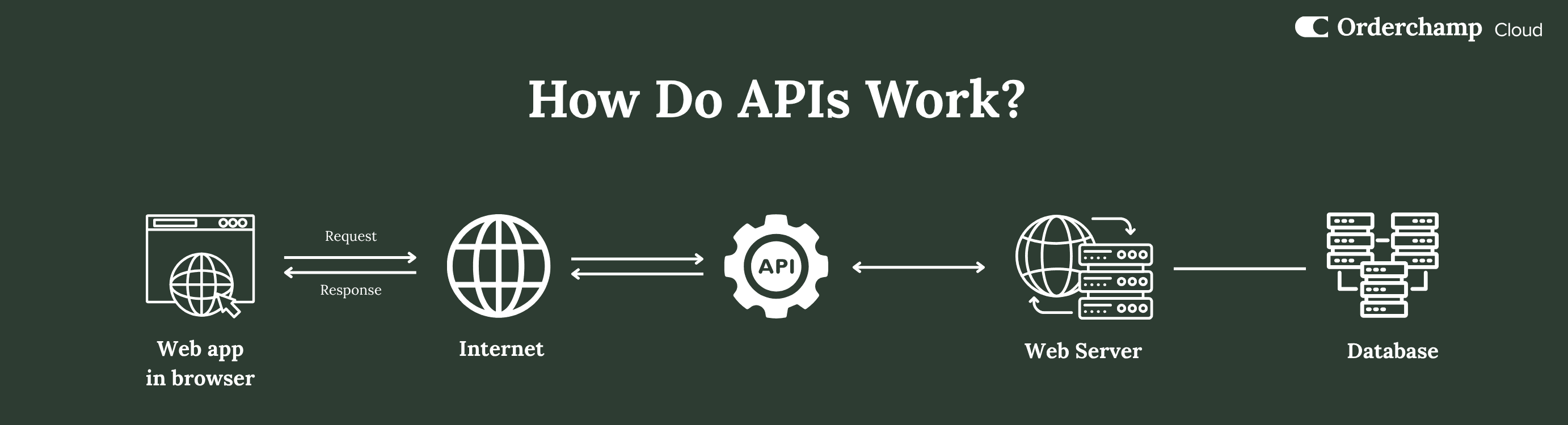
Why API integration is the backbone of modern B2B software
For B2B brands, wholesalers, and distributors, growth today isn't just about increasing sales volume. It's about building a connected, scalable operation that handles complexity without adding manual work. That's where API integration becomes essential.
API integration lets your core business systems — your ERP, CRM, and B2B portal — talk to each other automatically. Instead of juggling orders, inventory, and customer data across disconnected tools, everything works together in real time as one connected B2B tech stack.
For businesses running a B2B portal, wholesale webshop, or online ordering system, API integration enables real-time updates, automated workflows, and a seamless customer experience. Without it, scaling becomes inefficient and error-prone — especially as B2B eCommerce evolves and portals beat webshops on flexibility and scalability.
What Is API integration in B2B?
API stands for Application Programming Interface. In simple terms, an API is a bridge that lets different software systems exchange data.
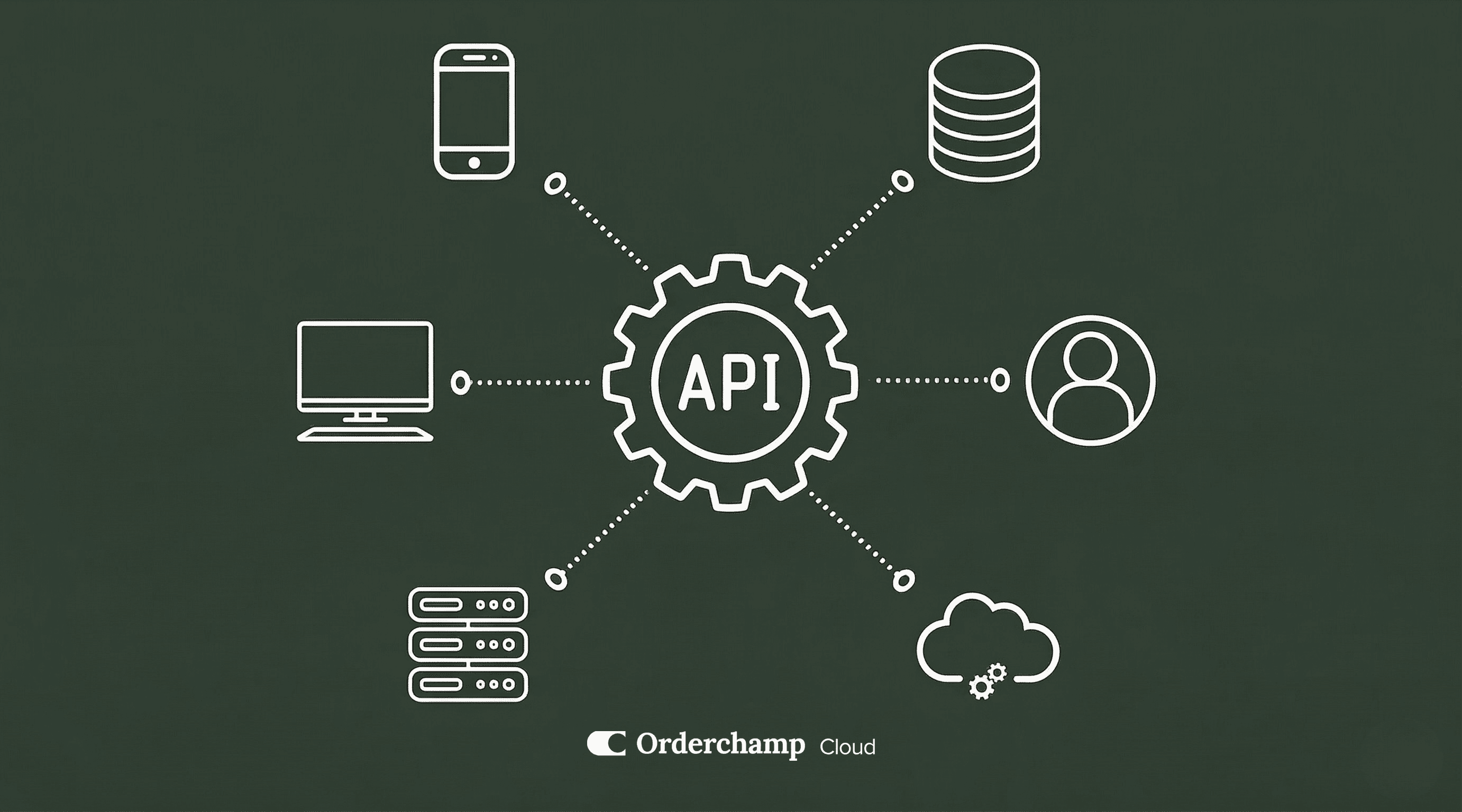
API integration is the process of connecting those systems so data flows automatically between them. In a B2B context, that usually means linking your ERP system, CRM, B2B webshop, and accounting tools into one unified ecosystem.
Wholesale ordering is a perfect example. When a retailer places an order through a B2B online ordering portal, that order is instantly sent to the ERP. Inventory updates immediately, customer-specific pricing is applied, and the order is prepared for fulfillment with no manual input. This is what makes modern B2B eCommerce automation possible.
How API integration works in B2B systems
Although it sounds technical, the concept is straightforward: one system sends a request for data, another processes it, and a response is returned. This continuous exchange keeps all connected systems synchronized.
In practice, that means your webshop displays real-time inventory from your ERP, your CRM reflects the latest customer activity, and your order management system processes incoming orders instantly. Instead of separate tools that need manual updates, you get a connected B2B ecosystem where everything operates as one.
Why API integration is essential for B2B growth
B2B businesses run on complex processes, large assortments, and customer-specific pricing. API integration simplifies that complexity and makes operations far more efficient.
Automation is one of the biggest advantages. Repetitive tasks like order entry, inventory updates, and invoicing no longer need manual input, which cuts workload and frees your team for strategic work.
Real-time synchronization keeps your data accurate. Inventory, pricing, and product information stay consistent across every system — crucial for maintaining customer trust.
API integration also improves the customer experience. Buyers using a B2B portal or webshop expect accurate stock availability, personalized pricing, and fast order processing, and a connected system delivers exactly that. Finally, it lays the foundation for scalability: as your business grows, your systems handle increased demand without extra manual effort — the same principle behind a smoother way to manage wholesale orders.
Common use cases of API integration in wholesale
In practice, API integration supports a wide range of essential B2B processes. The most common is connecting an ERP system to a B2B webshop, so product data, inventory, and order information are always up to date and centrally managed — often the backbone of a system that lets you build your own B2B webshop.
Another key use case is automatic synchronization of inventory and pricing. Instead of manually updating your assortment across platforms, API integration keeps everything aligned in real time.
Order processing improves dramatically too. Orders placed through a B2B order portal transfer automatically to backend systems, triggering fulfillment workflows without manual intervention.
API integration also enables customer-specific experiences — tailored pricing, custom catalogs, and personalized conditions, all managed automatically through connected systems.
Key benefits of API integration for B2B businesses
API integration has a direct impact on efficiency and performance. It reduces manual work by eliminating repetitive data entry, saving time and lowering operational costs — especially in environments where orders would otherwise be processed by hand. It also minimizes errors, since data is entered once and shared across all systems.
Operations get faster because everything happens in real time: orders process immediately, inventory updates instantly, and customers receive accurate information without delays. At the same time, businesses gain better visibility into their data, enabling smarter decisions and stronger strategic planning.
Challenges of API integration (and how SaaS solves them)
Despite its advantages, API integration can present challenges. Connecting multiple systems often requires technical expertise, especially with legacy software. Maintenance can be demanding, since APIs need ongoing monitoring and updates. And data security must be carefully managed to protect sensitive business information.
Modern SaaS platforms solve these challenges by simplifying integration. They offer standardized APIs, pre-built connectors, and user-friendly interfaces that reduce the need for custom development — making integration more accessible so you can focus on growth instead of technical complexity.
Orderchamp Cloud API integrations
Orderchamp Cloud is continuously expanding its integration ecosystem to support the evolving needs of B2B businesses. From ERP systems to eCommerce platforms and fulfillment tools, new integrations are added constantly to ensure seamless connectivity across your entire tech stack.
Orderchamp already connects to a wide range of systems and can integrate with many more through its API, partner network, and flexible data-mapping tools. Here's an overview of the most common integration types:
ERP & accounting systems — Connect your ERP or accounting software to automatically sync products, inventory, and orders, keeping core business data consistent across all systems without manual updates.
PIM (Product Information Management) — Feed enriched product data into your B2B portal with automated feeds, so your catalog stays accurate and up to date across every sales channel.
WMS & fulfillment — Integrate warehouse and fulfillment tools to manage stock levels, order flows, and shipment statuses in real time or near real time.
eCommerce platforms — Orderchamp connects with popular systems like Shopify, WooCommerce, Magento, and Lightspeed, enabling smooth synchronization between your B2C and B2B operations across a multi-channel B2B sales strategy.
Partner integrations — Through a growing network of integration partners, you can implement both pre-built and fully custom integrations across ERP, PIM, WMS, and eCommerce systems.
Open API & custom integrations — For advanced needs, Orderchamp provides an open API along with CSV, FTP, and Google Sheets mapping tools, so you can build custom integrations or connect systems that aren't yet natively supported.
Analytics & third-party tools — Extend your B2B portal with tools like Google Analytics and Google Tag Manager to gain insights, track performance, and improve the user experience.
Want to see the full ecosystem? Explore all available connections on the integrations page.
What is an API integration example in B2B?

Why is API integration important for B2B ecommerce?
What systems can be integrated using APIs?
What is the difference between API and EDI?
Is API integration difficult to implement?